Choose HubSpot if webinars are tied to sales. Choose Mailchimp if you just need clean email invites, quick reminders, and a simple signup flow. That is the core split. HubSpot is the full command center. Mailchimp is the friendly email machine.
TLDR: Mailchimp is best for small teams promoting one or two webinars a month. HubSpot is better when every attendee needs follow-up from sales. For example, a 500-person webinar list might get a 38% open rate in either tool, but HubSpot makes it easier to see that 47 attendees became sales leads. Mailchimp wins on speed. HubSpot wins on tracking and follow-up.
The simple version
A webinar campaign sounds easy.
You send an invite. People register. You remind them. They attend. Then you send the replay.
Ha. Cute.
Real life is messier. People click but do not register. They register but forget. They attend for six minutes. Then sales asks, “Which leads were hot?”
This is where your email tool matters.
Mailchimp is great when your main job is sending good emails fast. It has nice templates. The editor is easy. Lists are simple enough. You can build a clean webinar invite in minutes.
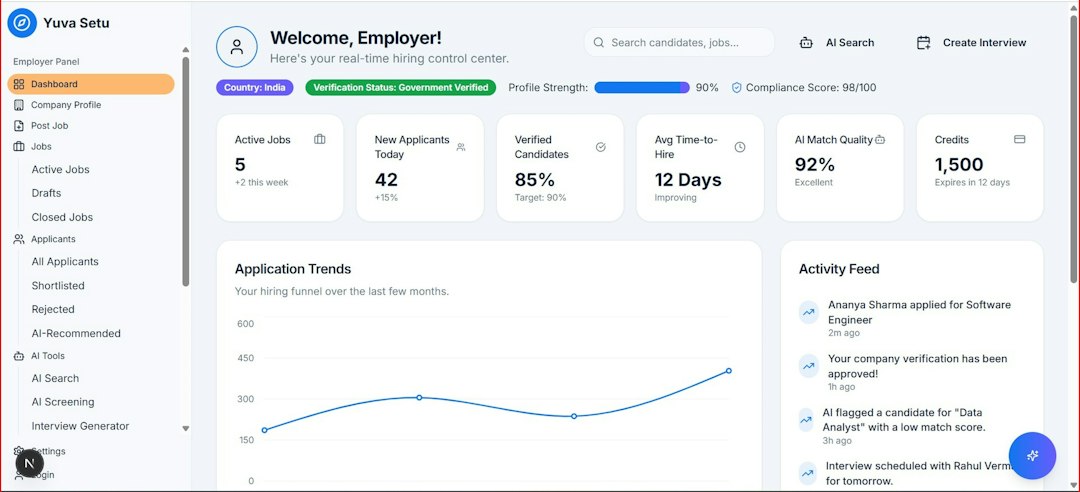
HubSpot is stronger when the webinar is part of a larger funnel. It tracks contacts, forms, pages, emails, sales activity, and lead status in one place. It feels heavier. It also answers more business questions.

Mailchimp for webinar promotion
Mailchimp feels like the tool you use when you want to get moving today.
You can create a webinar campaign with:
- Email invitations with drag and drop blocks.
- Basic audience segments based on tags, clicks, or signups.
- Automated reminders before the webinar.
- Post-webinar emails with a replay link.
- A/B tests for subject lines or content.
For a small team, this is plenty. You can send one invite two weeks before the event. Then send a second invite to non-openers. Then one reminder the day before. Then one “starting soon” email. Simple. Clean. Done.
The email builder is friendly. The templates look polished. You do not need a full marketing operations person to figure it out.
The catch is the reporting can feel thin when the webinar has a sales goal. You can see opens, clicks, and unsubscribes. You can track campaign results. But tying that activity to sales conversations is not as smooth.
If your sales team asks, “Did that attendee book a demo later?” you may need extra setup. Or a separate CRM. Or a mildly annoying spreadsheet. Nobody claps for that spreadsheet.
HubSpot for webinar promotion
HubSpot is built for the full customer journey.
That sounds fancy. Here is what it means.
When someone clicks your webinar invite, fills out a form, attends the event, downloads the slides, and later talks to sales, HubSpot can keep that story in one contact record.
That is very useful.
With HubSpot, you can build:
- Landing pages for webinar registration.
- Forms that feed straight into the CRM.
- Email workflows based on actions.
- Lead scoring for engaged registrants.
- Sales tasks for hot attendees.
- Reports that connect email to pipeline.
Here is a simple example. A person registers for your webinar. They attend for 42 minutes. They click the pricing link in the follow-up email. HubSpot can mark them as highly engaged. It can then create a task for sales.
That is where HubSpot shines.
Honestly, it feels like HubSpot sometimes wants you to set up three more things before you can do one simple thing. The power is real. So is the setup time.
Email design and templates
Mailchimp wins for speed and ease.
If your webinar invite needs to look nice by lunch, Mailchimp is your buddy. The editor is smooth. Image blocks, buttons, columns, and text sections are easy to arrange.
HubSpot also has solid templates. But the builder can feel more businesslike. Less “fun newsletter.” More “campaign asset.” That may be fine. It depends on your brand.
If you are promoting a creative workshop, Mailchimp may feel lighter. If you are promoting a B2B product demo, HubSpot may feel more natural.
Automation and reminders
Both tools can send webinar reminders.
Mailchimp can handle the basics well:
- Invite email.
- Reminder to non-openers.
- Reminder to registrants.
- Replay email after the event.
HubSpot can go deeper:
- Send different emails to attendees and no-shows.
- Notify sales when a key account registers.
- Score contacts based on email clicks.
- Move people into a nurture sequence after the webinar.
- Change a contact lifecycle stage after strong engagement.
For a casual webinar, Mailchimp is enough. For lead generation, HubSpot is usually better.
Segmentation
Segmentation means sending the right message to the right group.
Mailchimp offers tags, groups, and audience data. You can send one invite to past attendees. You can send another to people who clicked your last offer. This works well for many teams.
HubSpot goes further because it has richer contact records. You can segment by job title, company size, deal stage, page visits, form answers, and sales activity.
That matters for webinars.
A CEO may need a short, value-heavy invite. A product manager may want details. A current customer may need a different message from a fresh lead.
HubSpot makes these splits easier if your data is clean. If your data is a mess, well, welcome to the club.
Analytics and tracking
This is the big one.
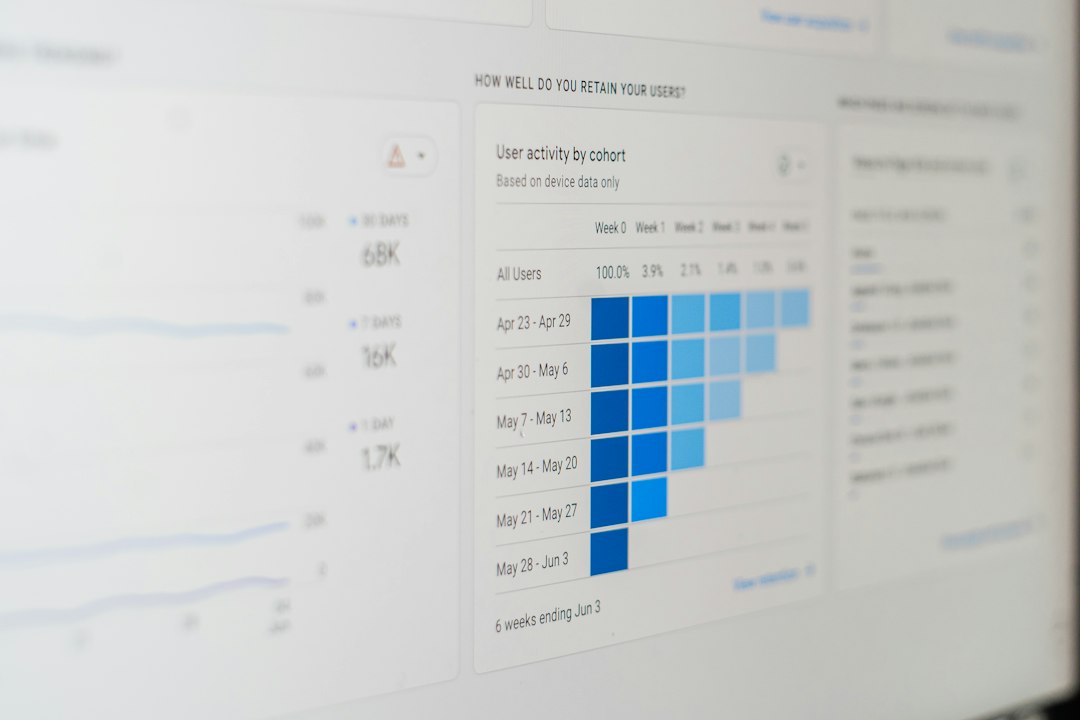
Mailchimp gives you clear email metrics. You can see open rate, click rate, bounce rate, and unsubscribes. You can compare campaigns. You can learn which subject line worked best.
For example, your first webinar email may show:
- 41% open rate
- 9% click rate
- 120 registrations from 1,500 contacts
That is useful.
HubSpot can connect those numbers to revenue activity. It can show which registrants became opportunities. It can help you see if the webinar helped create pipeline.
For example:
- 300 registrants
- 180 attendees
- 52 marketing qualified leads
- 14 sales calls booked
- $38,000 in influenced pipeline
That is a very different level of insight.
Pricing and value
Mailchimp is usually easier to start with. It can be cheaper for small lists and simple campaigns. As your list grows, the price can rise. Still, it often feels approachable for smaller webinar programs.
HubSpot can cost more. Some features sit in higher tiers. The CRM has free tools, but serious marketing automation can get pricey. You are not just paying for email. You are paying for the system around the email.
That can be worth it. Or it can be overkill.
If your webinar goal is brand awareness, Mailchimp may be the better buy. If your goal is sales pipeline, HubSpot can justify the cost faster.
Best use cases
Use Mailchimp when:
- You run simple webinars.
- Your team is small.
- You care most about email design.
- You do not need deep CRM tracking.
- You want fast setup with less fuss.
Use HubSpot when:
- Your webinars feed sales.
- You need lead scoring.
- You want strong contact history.
- You need sales alerts.
- You care about pipeline reporting.
Final pick
Mailchimp is the better choice for simple webinar promotion. It is quick, friendly, and good at sending attractive emails. It helps you get the word out without turning your afternoon into software therapy.
HubSpot is the better choice for revenue-focused webinar programs. It connects email, forms, CRM, automation, and reporting. It takes more setup, but it gives you a much clearer view of what happens after the signup.
So here is the plain answer. If you want more registrations, either tool can help. If you want better follow-up and sales insight, pick HubSpot. If you want speed and simplicity, pick Mailchimp.
Webinars are already enough work. Pick the tool that causes the fewest headaches for your real goal.