Use shadcn/ui when you want a SaaS app that looks polished fast, but still feels like your own code. It gives you clean React components, built with Tailwind CSS and Radix UI, and the project has passed 80,000 stars on GitHub [source: GitHub].
What makes shadcn/ui different?
Most UI kits work like a box of locked toys. You install a package. You get the components. Then you fight the styles.
shadcn/ui does something smarter. It copies the component code into your app. That means the button, dialog, table, and form files live in your project.
You can edit them. Break them. Fix them. Rename them. Add weird product rules. No drama.
Honestly, it feels like a relief. No more spending 17 minutes trying to override one tiny border radius that refuses to behave.
Why SaaS teams like it
SaaS products need the same screens again and again. Login. Signup. Dashboard. Billing. Reports. Settings. User roles. Team invites.
That can get boring fast.
shadcn/ui gives you building blocks that already feel modern. You still control the final look. That is the fun part.
- Buttons for actions like “Save,” “Upgrade,” and “Invite user.”
- Cards for stats, plan details, and quick summaries.
- Tables for customers, invoices, logs, and tasks.
- Dialogs for confirmations and edit forms.
- Tabs for account, billing, security, and team pages.
- Forms that work well with validation tools.
Start with setup
A common stack is Next.js, React, TypeScript, Tailwind CSS, and shadcn/ui. That combo is popular for SaaS apps because it keeps things fast and tidy.
You install shadcn/ui with its CLI. Then you choose your settings. Pick your style. Pick your color base. Pick where components should go.
After that, you add only what you need.
npx shadcn@latest add button card dialog table formThis is great for keeping your app lean. You do not need to carry a giant pile of unused UI code.
Build a SaaS dashboard
Start with the main layout. Keep it simple.
- A sidebar for product areas.
- A top bar for search and account actions.
- A content area for the page.
- A few cards for key numbers.
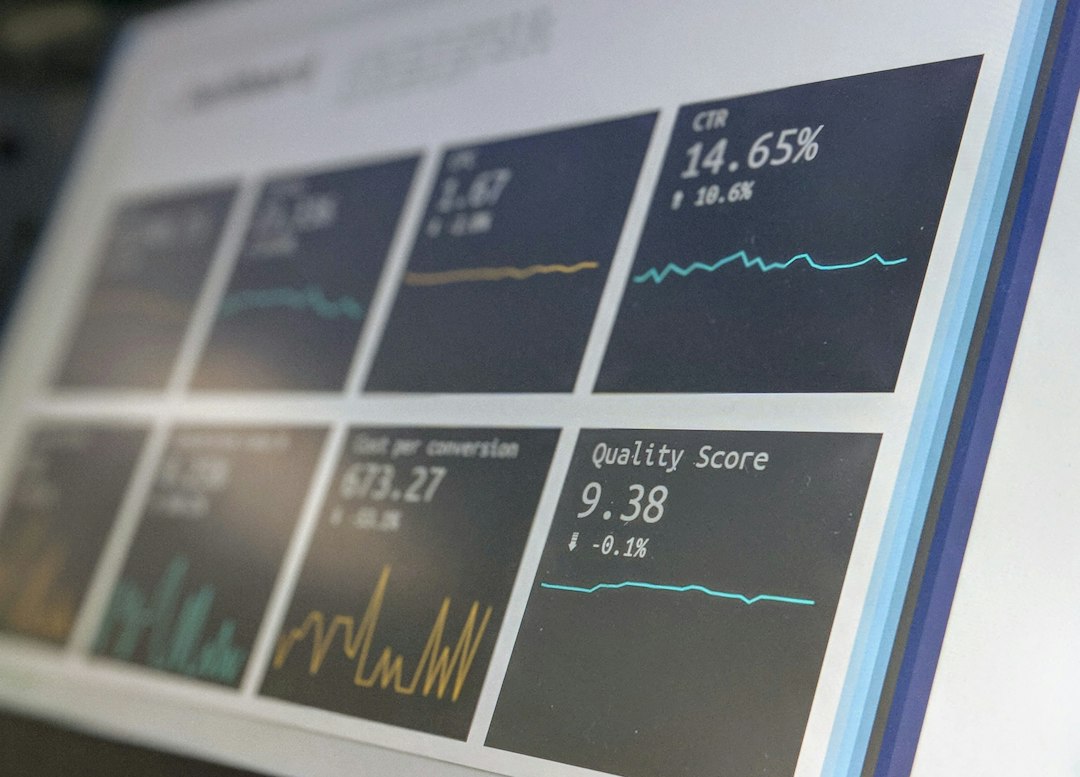
Your first dashboard can show simple metrics like monthly revenue, active users, churn, and open tickets.
For example:
- $42,800 monthly recurring revenue.
- 1,240 active users.
- 3.2% churn.
- 18 open support tickets.
Cards make these numbers easy to scan. Tables can show the details below. Tabs can split reports by day, week, and month.
Make components reusable
This is where shadcn/ui shines.
Do not copy the same button setup all over your app. Create small wrapper components for your product.
For example, make a PlanCard. It can use the shadcn/ui Card, Badge, and Button components inside it.
Then feed it props:
- Plan name
- Price
- Features
- Button text
- Popular flag
Now your pricing page is cleaner. Your code is easier to read. Your team makes fewer mistakes.
The same idea works for UserRow, MetricCard, EmptyState, and SettingsSection.
Style it like your brand
shadcn/ui works well with Tailwind CSS. That means you can use design tokens for colors, spacing, borders, and text.
Set your main colors once. Then use them everywhere.
Want a serious finance app? Use deep blue, gray, and white. Want a fun creator tool? Use purple, pink, and soft gradients. Want an AI product? Add dark mode and glowing accents. But please, not too much glow. Your users still need eyes.
Dark mode is also easy to support. SaaS users love it. Developers love it even more.
Use forms without pain
SaaS apps run on forms. Invite a teammate. Change a password. Add a payment method. Create a project. Update a profile.
shadcn/ui has form patterns that pair well with tools like React Hook Form and Zod. This helps with validation and error messages.
It drives me crazy when a form says “Invalid input” and gives no clue. Be kind. Say what went wrong.
- Bad: Invalid field.
- Good: Password must be at least 8 characters.
Small details matter. They reduce support tickets. They also make your app feel calmer.
Best practices for SaaS interfaces
Keep your UI boring in the right places. That is not an insult. It is good product sense.
- Use one main button style for key actions.
- Keep tables readable with spacing and clear labels.
- Add loading states so users know something is happening.
- Use empty states to explain what to do next.
- Make dialogs short and focused.
- Test on mobile before anyone complains.
When should you use it?
Use shadcn/ui if you want speed and control.
It is a strong fit for founders, small teams, agencies, and product engineers. It helps you move fast without making your app look like a plain wireframe.
Expect to spend time shaping your design system. That is normal. The good news is that the code is yours. You are not trapped behind a theme file that feels like a locked drawer.
Start with a few core components. Build one page. Clean it up. Then turn repeated sections into reusable React components.
That is the whole trick. Simple pieces. Shared patterns. Less mess. A SaaS interface that feels sharp, useful, and ready for real users.