
Accounting firms manage a demanding mix of recurring client work, statutory deadlines, document requests, approvals, and advisory projects. Without a structured project management system, teams can lose visibility into who owns each task, what is overdue, and which clients are blocking progress. A strong approach combines the right software, standardized workflows, and reusable templates that help firms deliver accurate work on time.
TLDR: Project management for accounting firms works best when software, processes, and templates are aligned around recurring client services. The best tools provide task tracking, deadline management, client communication, document collection, and reporting. Firms should standardize workflows for bookkeeping, tax, payroll, onboarding, and month-end close. Templates reduce errors, improve consistency, and make it easier to scale client work without overwhelming the team.
Why Project Management Matters for Accounting Firms
Accounting work is deadline-driven, detail-heavy, and often dependent on client responses. A single missing bank statement, unsigned engagement letter, or delayed approval can disrupt an entire schedule. Project management gives partners, managers, and staff a shared view of work in progress, upcoming deadlines, capacity, and bottlenecks.
For accounting firms, effective project management is not just about assigning tasks. It supports compliance, profitability, client satisfaction, and team accountability. When every recurring service follows a defined workflow, the firm can reduce rework, avoid missed deadlines, and create a more predictable client experience.

Best Project Management Software for Accounting Firms
The best software depends on firm size, service mix, budget, and how much client communication needs to happen inside the platform. General project management tools can work, but accounting-focused systems often provide better support for recurring jobs, client requests, and deadline tracking.
1. Karbon
Karbon is widely used by accounting and bookkeeping firms that want a strong practice management platform. It combines email, tasks, workflows, client timelines, and team collaboration. Its strength is visibility: managers can see where every job stands and what conversations are attached to it.
Best for: Growing firms that need centralized workflow management and strong internal collaboration.
2. Financial Cents
Financial Cents is built for accounting firms and focuses on workflow management, client tracking, recurring work, and time visibility. It is often valued for being easy to implement and suitable for firms that want accounting-specific features without excessive complexity.
Best for: Small and mid-sized firms looking for practical workflow automation and client task tracking.
3. Jetpack Workflow
Jetpack Workflow helps accounting teams track recurring deadlines, assign work, and standardize processes. It is especially useful for firms with heavy monthly, quarterly, and annual recurring tasks.
Best for: Firms that need clear recurring workflow checklists and deadline control.
4. Canopy
Canopy offers practice management, document management, client portals, billing, and workflow capabilities. It is frequently used by tax-focused firms that want a broader platform for managing client relationships and firm operations.
Best for: Tax and accounting firms that need project management plus client portal and document tools.
5. TaxDome
TaxDome includes workflow automation, e-signatures, proposals, client portals, document storage, and billing. It can support both tax and bookkeeping firms that want an all-in-one client experience.
Best for: Firms that want client-facing automation and centralized service delivery.
Key Features to Look For
Accounting firms should evaluate software based on operational fit rather than popularity alone. The most useful features usually include:
- Recurring task automation: Monthly bookkeeping, payroll, sales tax, and advisory tasks should repeat automatically.
- Deadline tracking: The system should show due dates, overdue items, and upcoming filing obligations.
- Client request management: Teams need a clear way to request documents and track what is still missing.
- Workflow templates: Standard checklists should be reusable across clients and service lines.
- Capacity planning: Managers should be able to see staff workload and rebalance assignments.
- Reporting: Dashboards should reveal job status, turnaround time, profitability, and bottlenecks.
- Integrations: Connections with email, cloud storage, tax software, accounting systems, and e-signature tools can reduce duplicate work.
Essential Workflows for Accounting Firms
Well-designed workflows keep client work consistent from start to finish. Each workflow should define the trigger, task sequence, owner, deadline, quality review step, and client communication point.
Client Onboarding Workflow
A strong onboarding workflow sets expectations early. It usually includes sending an engagement letter, collecting client information, setting up file access, confirming service scope, assigning an internal owner, and scheduling the first review. This workflow reduces confusion and helps the firm begin work with complete information.
Monthly Bookkeeping Workflow
The monthly bookkeeping workflow should include transaction coding, bank reconciliation, credit card reconciliation, payroll entry review, accounts receivable and payable checks, management report preparation, internal review, and client delivery. Firms often benefit from separate checklists for cash-basis and accrual-basis clients.

Tax Return Workflow
Tax workflows need careful deadline control. Typical steps include organizer delivery, document collection, preliminary review, return preparation, internal review, client questions, final approval, e-signature, filing, and archiving. Status labels such as waiting on client, in preparation, in review, and ready to file help teams understand progress quickly.
Payroll Workflow
Payroll workflows should be time-sensitive and precise. Steps may include collecting hours, reviewing changes, processing payroll, confirming tax liabilities, delivering pay stubs, and recording payroll entries in the accounting system. Because payroll errors affect employees directly, a review or approval step is essential.
Month-End Close Workflow
For advisory and outsourced accounting services, a month-end close workflow brings consistency to reporting. It can include reconciliations, adjusting entries, revenue review, expense analysis, balance sheet review, financial statement preparation, KPI update, and client meeting preparation.
Templates Every Accounting Firm Should Use
Templates reduce decision fatigue and make it easier to train staff. They also help firms maintain quality as the client base grows. The most valuable templates include:
- New client onboarding checklist: Covers documents, logins, engagement details, billing setup, and internal handoff.
- Monthly bookkeeping checklist: Ensures every account is reconciled and reviewed before reports are sent.
- Tax preparation checklist: Tracks source documents, preparation, review, e-filing, and delivery.
- Client document request template: Standardizes requests for bank statements, receipts, payroll records, and tax forms.
- Year-end planning template: Supports proactive tax planning, deductions review, entity updates, and advisory notes.
- Internal review template: Gives reviewers a consistent way to check accuracy, completeness, and compliance.
Templates should be specific enough to guide work but flexible enough to fit different client types. For example, a retail client may need sales tax review, while a professional services client may require deferred revenue analysis or contractor payment review.
Best Practices for Implementation
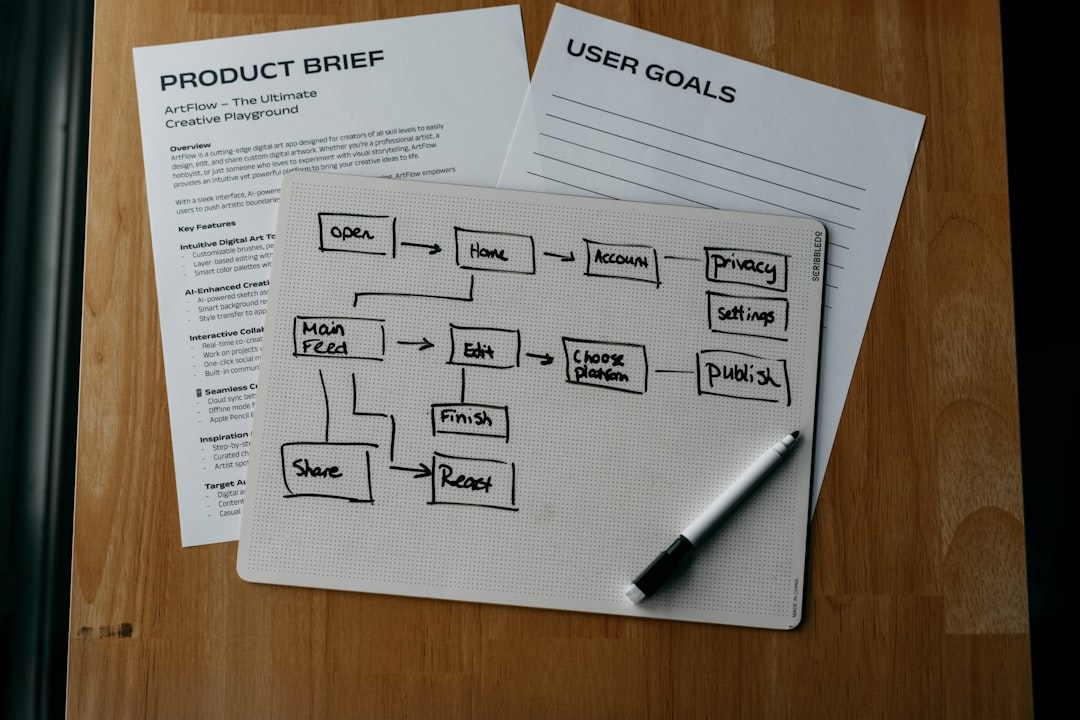
Software alone does not solve operational problems. Firms should first map their core services, identify recurring pain points, and create standard workflows before automation begins. A practical rollout often starts with one service line, such as monthly bookkeeping, then expands to tax, payroll, and advisory work.
Leadership should assign workflow owners who are responsible for maintaining templates and improving processes. Team members should be trained not only on how to use the software, but also on why each step matters. Regular workflow reviews can reveal tasks that are unnecessary, duplicated, or missing.
Measuring Success
Firms should track whether project management improvements are producing measurable results. Useful metrics include on-time completion rate, average turnaround time, number of overdue tasks, client response time, staff utilization, write-offs, and realization rate. Over time, these metrics help partners make better decisions about pricing, staffing, and client service levels.
A mature project management system allows an accounting firm to move from reactive deadline management to proactive service delivery. With the right tools, workflows, and templates, the firm can protect quality, reduce stress, and create a more scalable operating model.
FAQ
What is project management for accounting firms?
Project management for accounting firms is the process of organizing client work, deadlines, tasks, documents, reviews, and communication in a structured system. It helps teams complete recurring and deadline-based work accurately and on time.
What is the best project management software for accounting firms?
The best option depends on the firm’s needs. Karbon, Financial Cents, Jetpack Workflow, Canopy, and TaxDome are popular choices because they offer accounting-focused workflow, client management, and deadline features.
Can a small accounting firm use project management software?
Yes. Small firms often benefit quickly because software reduces missed tasks, organizes client communication, and creates repeatable processes. A smaller firm can start with basic workflows and add automation as it grows.
What workflows should an accounting firm create first?
Most firms should start with client onboarding, monthly bookkeeping, tax preparation, payroll, and month-end close workflows. These areas usually have repeatable steps and clear deadlines.
Why are templates important in accounting project management?
Templates help standardize work, reduce errors, speed up task creation, and make training easier. They also ensure that clients receive a consistent level of service across the firm.