VEED is the stronger choice for creators who need captions, templates, social clips, and a fuller timeline, while Clideo is better for quick one-task edits such as trimming, merging, compressing, or resizing. For a small business making three short social videos per week, VEED can save time on subtitles and formatting, while Clideo may finish a simple cut in under two minutes with fewer buttons in the way. Video remains a central format for marketing, with Wyzowl reporting that 91% of businesses use video as a marketing tool [source: Wyzowl]. That makes the choice between Clideo and VEED less about “best overall” and more about who needs speed, who needs polish, and who hates fiddly menus.
TLDR: Clideo is best for quick, single-purpose edits: trim a clip, join two videos, resize for Instagram, or compress a file. VEED is better when the job includes subtitles, branding, templates, screen recordings, or a social-ready final cut. For example, a freelancer cutting a 45-second product demo may finish faster in Clideo, but a creator turning a 10-minute webinar into three captioned shorts will likely save more time in VEED. The catch is that both tools can feel limited on free plans, especially when watermarks, export limits, or account prompts appear right when the edit is nearly done.
Best Online Video Editors: Clideo vs. VEED for Quick Video Editing
Clideo and VEED both run in the browser, which is the main appeal. No heavy software install. No need for a high-end editing machine. A user uploads a file, edits it online, and exports the result. That sounds simple, and often it is.
Still, the two tools serve different editing habits. Clideo feels like a toolbox. It offers many separate tools for common jobs: cut, merge, compress, resize, crop, rotate, add music, add subtitles, and convert files. A user often chooses the task first, then uploads the file.
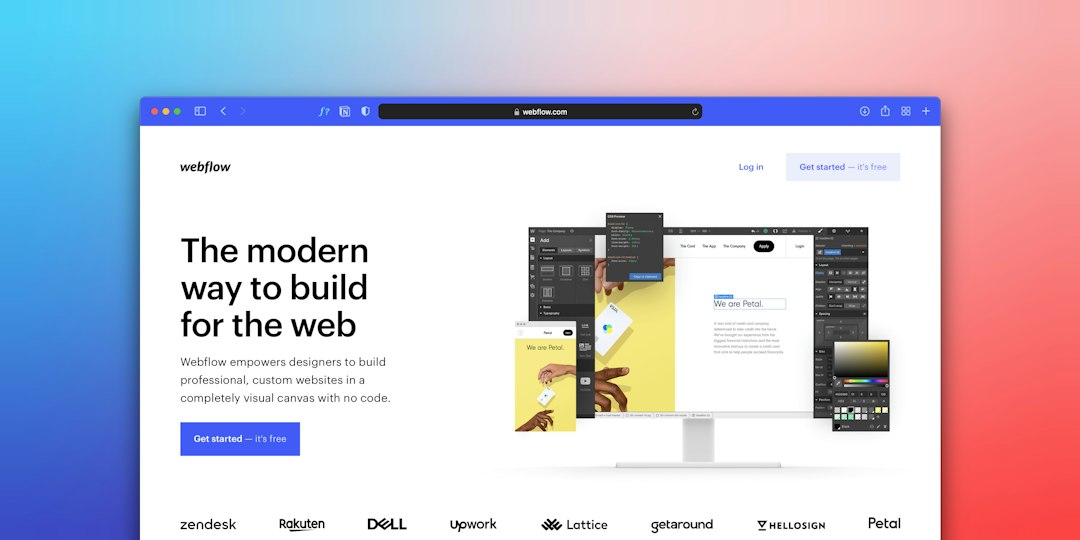
VEED feels more like a full online editor. It has a timeline, text tools, captions, templates, layout tools, brand assets, audio options, and export settings in one workspace. It suits users who expect to build a finished social video, not just fix a file.

Ease of Use
Clideo wins on simplicity. Its interface is clean and narrow in scope. If someone needs to trim the first 12 seconds from a video, Clideo does not bury that task under a pile of creative tools. The process is usually upload, adjust, export.
That said, Clideo can feel choppy when a project needs several edits. A creator may trim a clip, then open another tool to resize it, then another to compress it. It gets annoying when one video needs three small fixes and each fix feels like a separate stop.
VEED is easier for multi-step editing. Once the file is inside the editor, a user can trim, add captions, place text, change the canvas size, insert elements, and export without jumping between separate tools. The interface has more going on, but it keeps the project together.
Honestly, VEED can feel a little crowded at first. A simple trim may take more clicks than expected because the screen is built for bigger projects. But after a short learning curve, the workflow makes sense.
Speed for Quick Edits
For one small task, Clideo is often faster. It is ideal for someone who says, “This video is too long,” or “This file is too large,” or “This clip needs to fit a square post.” The tool does not ask the user to think like an editor.
- Best quick Clideo tasks: trimming, merging, resizing, compressing, cropping, rotating, converting.
- Best quick VEED tasks: captioning, branding, social clips, text overlays, podcast snippets, webinar highlights.
VEED becomes faster when the edit needs polish. Auto subtitles alone can save a lot of manual work. A 60-second talking-head clip can be turned into a captioned vertical short with branded text and a resized canvas in one place. Clideo can handle some of this, but VEED usually feels more natural for this kind of job.
Features: Where VEED Pulls Ahead
VEED has the richer feature set. It is built for creators, marketers, educators, podcasters, and teams that publish often. Its strengths include automatic subtitles, templates, stock-style assets, screen recording, audio cleanup options, translation features on some plans, and brand tools.
For social media work, this matters. A creator can import a horizontal video, resize it for TikTok or Reels, add captions, place a headline at the top, add a progress bar style, and export a vertical version. That creates a more finished result than a basic cut-and-crop workflow.
Clideo is not trying to be that deep. Its value sits in task-based tools. It is excellent when the editor already knows the exact fix. It is less ideal when the user wants to experiment with layouts, captions, hooks, or branded designs.

Clideo’s Best Use Cases
Clideo works best for users who do not want a full editing suite. It suits occasional editors, students, office workers, and small teams that only need light edits.
- Compressing a video before sending it by email or chat.
- Trimming a clip before uploading it to a website.
- Merging several short clips into one simple video.
- Resizing content for Instagram, YouTube, Facebook, or LinkedIn.
- Converting video files when a platform rejects the current format.
Its biggest strength is focus. Its biggest weakness is that the workflow can become repetitive when a user needs several edits in one session.
VEED’s Best Use Cases
VEED is better for users who publish videos as part of a content routine. It suits solo creators, marketing teams, coaches, online teachers, podcasters, and social media managers.
- Adding subtitles to talking-head videos.
- Creating short clips from longer recordings.
- Adding branded text, logos, colors, and layouts.
- Recording screens for tutorials or demos.
- Preparing content for TikTok, Reels, Shorts, and LinkedIn.
VEED’s weakness is its weight. For a user who only wants to rotate a video, the extra editor features can feel like noise. Still, for repeat video work, that extra power pays off.
Pricing and Free Plan Limits
Both platforms offer free access, but free does not always mean painless. Watermarks, export limits, file size restrictions, resolution caps, and account prompts can affect the final result. These limits change over time, so users should check the current plan pages before committing to a workflow.
Clideo tends to make sense for occasional tasks, especially if the user does not mind limitations on free exports. VEED tends to make more sense when captions, brand kits, higher export quality, and regular publishing justify a paid plan.
For a business, the real cost is not only the subscription. It is time. If VEED saves 20 minutes per captioned video and the team publishes 12 videos per month, that is four hours saved monthly. If Clideo helps an office worker resize one video per month, a heavier editor may be overkill.
Output Quality and Export Experience
Both tools can produce clean exports for normal web use. VEED usually gives more control over how a finished video looks. Clideo is strong for utility edits, but it is less focused on visual styling.
Export speed depends on file size, internet speed, server load, and selected quality. Short clips are usually painless. Large HD or 4K files can take longer. Expect to waste time on uploads if the source file is huge and the connection is weak. That is not unique to either tool; it is a browser-editor problem in general.
Which One Should a User Choose?
Choose Clideo if the goal is to fix a video quickly with minimal fuss. It is the better pick for one-off jobs, simple file changes, and users who dislike full editing timelines.
Choose VEED if the goal is to create publish-ready videos with captions, titles, branding, and platform-specific formats. It is the better pick for creators and teams that produce content often.
The simplest rule is this: Clideo edits files. VEED builds videos. That difference decides most use cases.
FAQ
Is Clideo better than VEED?
Clideo is better for quick single-task edits, such as trimming, compressing, merging, or resizing. VEED is better for complete social videos with captions, text, layouts, and branding.
Is VEED good for beginners?
Yes. VEED is beginner-friendly, though it has more tools on screen than Clideo. New users may need a few minutes to understand the timeline and export settings.
Which tool is faster for editing short videos?
Clideo is usually faster for one simple edit. VEED is faster when the video needs several changes, such as subtitles, resizing, and text overlays.
Do Clideo and VEED work in a browser?
Yes. Both are online video editors. They work through a web browser, so users do not need to install desktop editing software.
Which editor is better for social media videos?
VEED is usually the better choice for social media. Its caption tools, templates, canvas resizing, and branding options fit TikTok, Instagram Reels, YouTube Shorts, and LinkedIn clips.
Which one should a small business use?
A small business that only needs occasional file edits may prefer Clideo. A business posting regular marketing videos will usually get more value from VEED.