LSASS is the Windows security process that verifies logins, creates access tokens, enforces local security rules, and helps keep credentials protected. If it fails, Windows treats that as a serious security event and may restart or shut down. That is why lsass.exe shows up in Task Manager, why attackers care about it, and why administrators should monitor it closely.
TLDR: LSASS, short for Local Security Authority Subsystem Service, is a core Windows process responsible for authentication and security policy enforcement. For example, when 250 employees sign in at 9:00 a.m., LSASS helps validate those logins and issue the right access permissions. If malware tampers with it, stolen credentials or forced system restarts may follow. Keep it protected with Windows updates, endpoint security, Credential Guard, and careful monitoring.
What Is LSASS?
LSASS is the Local Security Authority Subsystem Service, a protected Windows component that usually runs as lsass.exe. You can find the legitimate file in:
- C:\Windows\System32\lsass.exe
It runs with high privileges because it handles sensitive security work. That includes checking usernames and passwords, verifying domain credentials, creating logon sessions, and applying security policies. In plain English, LSASS helps Windows decide who you are and what you are allowed to do.
Honestly, it feels like one of those background services nobody thinks about until something breaks. Then suddenly every login, permission issue, or strange security alert seems to point back to it.

What Does LSASS Do?
LSASS performs several jobs that are easy to overlook because they happen in seconds. When you type a password, unlock your laptop, access a file share, or connect to a domain resource, LSASS is often involved.
Its main roles include:
- User authentication: LSASS confirms whether login credentials are valid.
- Access token creation: After login, it creates a token that tells Windows what the user can access.
- Security policy enforcement: It applies local policies, such as password rules and user rights.
- Audit logging: It helps record security events, including successful and failed logins.
- Password changes: It supports secure password updates on local machines and domains.
- Domain authentication support: In business networks, it works with Active Directory and Kerberos.
Why LSASS Matters for Windows Security
LSASS matters because it sits close to the identity layer of Windows. Identity is the front door. If an attacker gets control of credentials, they may not need to “hack” much else. They can simply sign in as someone with access.
Windows uses LSASS to manage authentication protocols such as Kerberos and NTLM. Kerberos is common in Active Directory environments. NTLM is older but still seen in many networks. LSASS helps coordinate these methods so users can access computers, shared folders, printers, apps, and servers.
This is also why LSASS is a common target in cyberattacks. Attackers often try to extract credentials from memory after compromising a system. The goal is usually to move from one machine to another, gain higher privileges, or reach sensitive systems. Security teams often call this lateral movement.
Is lsass.exe a Virus?
The real lsass.exe is not a virus. It is a normal Windows process. The problem is that malware may try to imitate it. A fake process with a similar name can fool users at a glance.
Watch for these warning signs:
- The file is not located in C:\Windows\System32.
- The name uses tricks, such as Isass.exe with a capital “I” instead of a lowercase “l”.
- The process uses unusually high CPU for long periods.
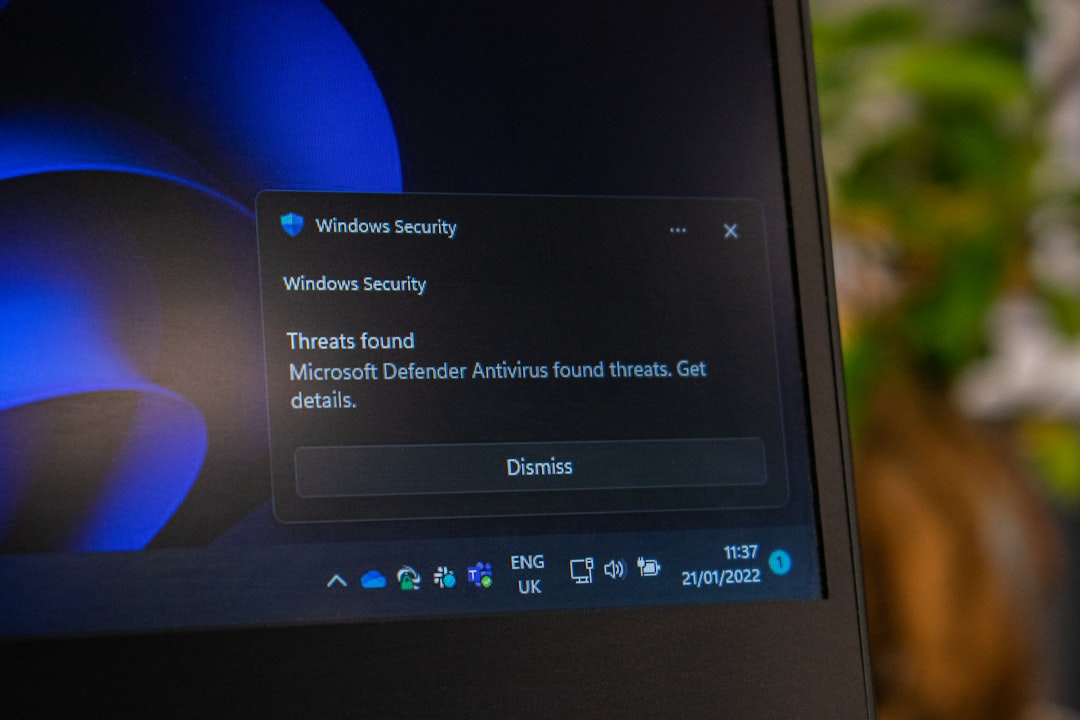
- Your antivirus reports credential theft behavior.
- Windows logs show odd login attempts or unexplained security events.
The catch is that Task Manager does not always make this obvious. You may need to right-click the process, open the file location, and check the digital signature. That takes longer than it should, especially when you are already dealing with a suspicious machine.
Can You End the LSASS Process?
No, you should not end LSASS. If you try to terminate the real LSASS process, Windows will usually force a restart. This behavior is intentional. Windows treats LSASS failure as a critical security problem.
On many systems, killing it triggers a message that the computer will shut down or restart soon. That protects the machine from running in an unsafe state. Still, it can be annoying if you clicked the wrong thing while troubleshooting. Expect to lose unsaved work if that happens.

Common LSASS Problems
Most users never need to touch LSASS. When problems happen, they usually show up as login delays, high CPU usage, system restarts, or security alerts.
Common causes include:
- Malware activity: Some tools try to read LSASS memory to steal credentials.
- Domain controller issues: Slow or unreachable domain controllers can delay authentication.
- Corrupt user profiles: Bad profiles can cause login problems that appear security-related.
- Broken updates: Rarely, a Windows update or driver conflict may affect authentication behavior.
- Heavy login traffic: Large companies may see spikes when many users sign in at once.
For example, if 1,000 users start work within a 15-minute window, authentication systems can feel the pressure. LSASS on client machines may look normal, while domain services behind the scenes struggle. That is why logs matter more than guesswork.
How LSASS Works During Login
Here is a simplified version of what happens when you sign in:
- You enter your username and password, PIN, smart card, or biometric input.
- Windows sends the authentication request to the proper security provider.
- LSASS helps verify the credentials locally or through a domain service.
- If the login succeeds, LSASS creates a security access token.
- Windows uses that token to decide what files, apps, and systems you can use.
That token is a big deal. It includes group memberships, rights, and privileges. If you are a standard user, your token reflects that. If you are a domain admin, your token carries much broader power. This is why admin accounts are high-value targets.
How Attackers Target LSASS
Attackers may try to read LSASS memory because credential material can exist there during active logon sessions. This does not mean LSASS is poorly built. It means it handles sensitive material by design.
Common attack goals include:
- Stealing password hashes or tickets.
- Finding credentials for privileged users.
- Reusing stolen credentials on other systems.
- Gaining access to servers, databases, or cloud admin panels.
Security products often watch LSASS closely. If a random process tries to access LSASS memory, that can trigger an alert. In many organizations, these alerts are treated as urgent because they may signal credential theft.
How to Protect LSASS
You can reduce LSASS-related risk with a mix of Windows features, good account hygiene, and monitoring.
- Enable Credential Guard: It helps isolate secrets from the normal operating system environment.
- Use LSASS protection: Windows can run LSASS as a protected process on supported systems.
- Limit administrator rights: Fewer admin sessions mean fewer valuable credentials in memory.
- Patch Windows often: Security fixes reduce known attack paths.
- Use modern endpoint protection: Look for alerts involving LSASS memory access.
- Disable old authentication where possible: Reduce NTLM use if your environment allows it.
- Monitor login events: Watch for repeated failures, odd hours, and unusual source machines.

How to Check If LSASS Looks Normal
For a quick sanity check, open Task Manager, go to Details, and find lsass.exe. Then check its file location. The valid path should be C:\Windows\System32. You can also review its properties and confirm that it is signed by Microsoft.
If something feels off, do not delete random files. Disconnect the machine from the network if compromise seems likely. Then run a trusted security scan or contact IT. For business systems, preserve logs before wiping anything. Those logs may show how the attack started.
Final Takeaway
LSASS is one of the most important security processes in Windows because it controls authentication, access tokens, and security policy enforcement. You usually do not need to manage it directly, but you should understand why alerts involving LSASS deserve attention. A healthy LSASS process means users can sign in safely. A compromised one can put the whole network at risk.