Choosing between the iPad Pro 11 and the iPad Pro 12.9 for multitasking in 2026 is not simply a question of screen size. It is a question of how you work, how often you use multiple apps at once, whether you rely on external displays, and how much portability matters in your daily routine. Apple has moved the premium iPad line forward with newer 11-inch and 13-inch models, but the 12.9-inch iPad Pro remains highly relevant on the used, refurbished, and professional secondary markets.
TLDR: For serious multitasking, the 12.9-inch iPad Pro is generally the better choice because its larger display gives Stage Manager, split-screen apps, and document workflows more room to breathe. The 11-inch iPad Pro is better if you want a lighter, more portable device that still handles demanding apps well. If your work often involves two or more apps side by side, spreadsheets, editing timelines, or external keyboard use, choose the 12.9-inch model. If you mostly switch between apps rather than viewing them together, the 11-inch model is likely enough.
Why multitasking on iPad matters more in 2026
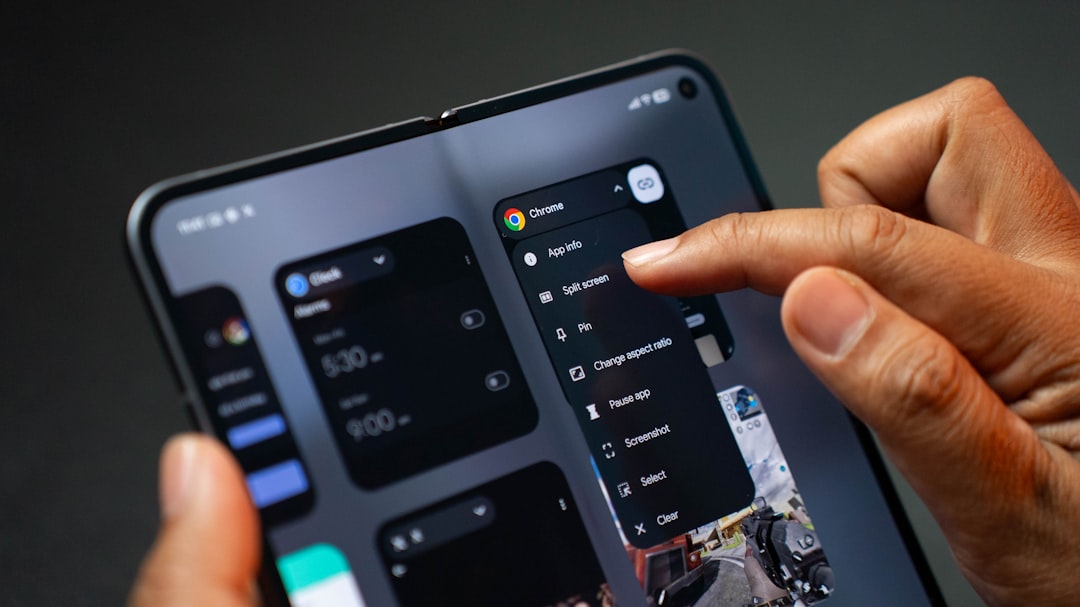
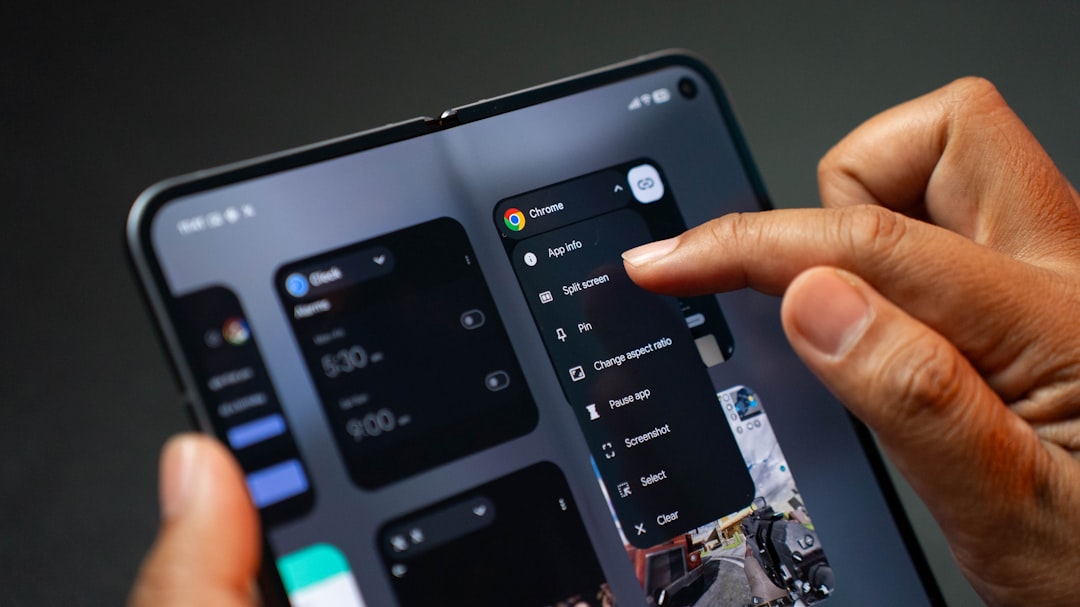
The iPad Pro is no longer just a tablet for media consumption or sketching. In 2026, many professionals use it as a secondary laptop, a field workstation, a note-taking hub, or even a primary computer for writing, creative work, coding through remote systems, and client presentations. Apple’s multitasking tools, especially Stage Manager, Split View, Slide Over, external display support, and improved keyboard shortcuts, have made the iPad more capable than ever.
However, the iPad’s multitasking experience is still strongly tied to physical screen space. Processor performance matters, but modern iPad Pros already have more than enough power for most multitasking scenarios. The real difference between the 11-inch and 12.9-inch models is how comfortable it feels to manage multiple windows, read dense information, and work for long periods without feeling visually cramped.
Screen size: the most important difference
The 12.9-inch iPad Pro has the clear advantage for multitasking because it provides a noticeably larger canvas. When using Split View, two apps sit side by side with enough width to remain practical. A document and browser, email and calendar, notes and video call, or spreadsheet and PDF can all be open at once without feeling overly compressed.
On the 11-inch iPad Pro, multitasking is possible and smooth, but the smaller display imposes limits. Split View works, yet each app window can feel narrow. Websites may switch to tablet or mobile-style layouts. Spreadsheet columns become harder to scan. Editing controls take up more of the usable space. If you are multitasking casually, this is acceptable. If you do it for hours, the smaller screen can slow you down.
This does not mean the 11-inch model is weak. It is highly capable and often faster than many laptops from only a few years ago. But multitasking is not only about speed; it is also about how much information you can comfortably see and manipulate at once.
Stage Manager: better on the larger iPad
Stage Manager is one of the key reasons the 12.9-inch iPad Pro feels more professional for multitasking. It allows multiple app windows to overlap, resize, and remain grouped together. On a larger display, this creates a more laptop-like environment. You can keep a writing app centered, a messaging app to the side, and a browser or research window nearby.
On the 11-inch model, Stage Manager works, but it can feel more like a compromise. Window controls, side app groups, and interface elements consume a larger percentage of the screen. You may find yourself constantly resizing windows or switching between app groups rather than simply working. The feature remains useful, but it is less fluid for complex workflows.
If Stage Manager is central to your productivity, the 12.9-inch iPad Pro is the stronger choice. The additional display area makes the difference between “technically possible” and “comfortable enough to use every day.”
External display use changes the equation
If you regularly connect your iPad Pro to an external monitor, the comparison becomes more nuanced. With proper external display support, both the 11-inch and 12.9-inch iPad Pro can function as compact desktop computers. In that setup, the iPad’s built-in screen becomes less important, especially if you are using a keyboard, trackpad, and large monitor.
For desk-based work, the 11-inch iPad Pro can be surprisingly compelling. It is easier to carry, costs less in many configurations, and still offers strong performance when docked. If your serious multitasking happens mostly on a monitor, the 11-inch model may be the practical choice.
Still, the 12.9-inch model remains better when you are away from the desk. If you travel, work in meetings, edit documents on flights, or use the iPad in client-facing situations, the larger built-in display continues to matter.
Portability: where the 11-inch iPad Pro wins
The 11-inch iPad Pro is easier to hold, easier to pack, and more comfortable for reading, note-taking, and handheld use. It fits better on small café tables, airplane trays, lecture desks, and crowded workspaces. If your multitasking style involves quickly switching between apps while moving around, the 11-inch model may feel more natural.
The 12.9-inch iPad Pro is still portable compared with a laptop, but it is not as effortless. Add a Magic Keyboard or similar keyboard case, and it becomes a more substantial device. It is excellent on a desk or lap, but less comfortable to hold for long periods. For some users, that reduces how often they actually use it.
This is an important point: the best multitasking device is the one you are willing to carry and use consistently. If the 12.9-inch model stays at home because it feels too large, its multitasking advantage becomes irrelevant.

Performance: both are more than capable
By 2026 standards, both the 11-inch and 12.9-inch iPad Pro models from recent generations remain powerful. Models with Apple silicon chips such as M1, M2, or newer can handle demanding multitasking tasks, including high-resolution photo editing, video timelines, large PDFs, web apps, note-taking, and video calls.
For most users, performance should not be the deciding factor between these two sizes. The major exception is if you are comparing different generations, storage tiers, or memory configurations. Some higher-storage iPad Pro models historically included more RAM, which can help when keeping many apps active. If you are buying used or refurbished in 2026, check the exact chip, storage, RAM, battery health, and display condition before purchasing.
In day-to-day multitasking, however, the more noticeable difference will still be screen size rather than raw speed. A faster chip cannot make a cramped Split View layout feel spacious.
Keyboard and trackpad experience
For multitasking, an iPad Pro becomes far more capable when paired with a keyboard and trackpad. Keyboard shortcuts make switching apps faster, while the trackpad makes window management and text editing more precise. Here, the 12.9-inch model again feels closer to a small laptop.
The larger keyboard accessories designed for the 12.9-inch iPad Pro are generally more comfortable for extended typing. The 11-inch version is usable, but its keyboard can feel condensed, especially for users with larger hands. If you write reports, manage email, edit documents, or work in spreadsheets for hours, this matters.
That said, the 11-inch model with a keyboard is a very efficient mobile setup. It is compact, quick to open, and ideal for short sessions. The 12.9-inch setup is better for sustained productivity; the 11-inch setup is better for mobility.
Creative multitasking: drawing, editing, and reference work
Artists, designers, photographers, and video editors often multitask differently from office users. They may keep a reference image open while drawing, compare edits side by side, review notes while working in a creative app, or manage files while exporting projects.
For these workflows, the 12.9-inch iPad Pro is usually superior. The larger canvas gives more room for toolbars, layers, timelines, and reference windows. If the model includes a high-quality mini LED or advanced display, it may also provide a better experience for visual work, depending on the generation being compared.
The 11-inch model remains excellent for sketching, marking up documents, and quick creative adjustments. It is especially good for artists who value a light tablet they can hold in one hand. But for professional editing and multitasking with visual references, the larger display is more efficient.
Reading, research, and document workflows
If your multitasking involves research, the difference is clear. Reading a PDF on one side while writing notes on the other is far easier on the 12.9-inch display. Legal documents, academic papers, business reports, and technical manuals benefit from the larger format. You can see more of the page, reduce zooming, and maintain context while writing or annotating.
On the 11-inch iPad Pro, document multitasking is workable but tighter. It is best for shorter documents, quick annotations, and app switching. If you often compare two documents, review contracts, or work with dense PDFs, the 12.9-inch model will save time and reduce eye strain.
Battery life and comfort
Battery life varies by generation, brightness, battery health, and workload. In general, both sizes offer solid endurance, but multitasking with Stage Manager, video calls, high brightness, and external accessories can drain either model quickly. The 12.9-inch display may consume more power, especially at high brightness, while the larger chassis can accommodate different battery characteristics depending on the model.
For real work, comfort may matter more than the official battery estimate. The 11-inch iPad Pro is more comfortable handheld. The 12.9-inch iPad Pro is more comfortable visually. One is easier on your arms; the other is easier on your eyes and workflow.
Price and long-term value in 2026
In 2026, pricing depends heavily on whether you are buying new, refurbished, or used. The 12.9-inch iPad Pro usually costs more, and its accessories are also more expensive. If you need cellular connectivity, larger storage, Apple Pencil support, and a keyboard case, the total cost can become significant.
The 11-inch iPad Pro often provides better value for people who want premium performance without paying for the largest screen. It is a smart option for students, consultants, frequent travelers, and professionals who mostly use one main app at a time.
The 12.9-inch model provides better value for users who can genuinely benefit from the extra space every day. If the larger display helps you work faster, avoid carrying a laptop, or manage complex projects more comfortably, the higher cost is easier to justify.
Which should you choose?
Choose the iPad Pro 12.9 if you:
- Use Stage Manager regularly with multiple windows.
- Work with documents, spreadsheets, PDFs, or research side by side.
- Write, edit, design, or manage projects for long sessions.
- Use a keyboard and trackpad as part of your normal workflow.
- Want the closest iPad experience to a laptop replacement.
Choose the iPad Pro 11 if you:
- Prioritize portability and handheld comfort.
- Mostly switch between apps rather than viewing several at once.
- Use an external monitor for your most serious multitasking.
- Need a lighter device for travel, meetings, school, or field work.
- Want strong performance at a lower total cost.
Final verdict: the better multitasking iPad
For multitasking in 2026, the iPad Pro 12.9 is the better overall choice. Its larger display makes Split View, Stage Manager, document review, creative work, and keyboard-based productivity significantly more comfortable. It is the better option for users who want the iPad Pro to behave as much like a laptop replacement as possible.
The iPad Pro 11, however, should not be dismissed. It is the better mobile tablet, the easier everyday carry, and a strong choice for users who value flexibility over workspace. If you multitask lightly or rely on an external display, it may be the smarter purchase.
In simple terms: choose the 12.9-inch iPad Pro for serious multitasking and extended productivity. Choose the 11-inch iPad Pro for portability, convenience, and premium performance in a smaller format. The best model is not the one with the biggest screen or the lowest price; it is the one that matches how and where you actually work.