If you are moving from Squarespace to WordPress, the main reason to switch is control: better SEO options, richer plugins, flexible hosting, and more room to grow. WordPress powers around 43% of all websites, while Squarespace sits far lower in global usage, which matters when you need developers, tutorials, plugins, and long-term support [source: W3Techs].
TLDR: Squarespace is easier for a small brochure site, but WordPress is better if your website is becoming a serious marketing, publishing, or ecommerce asset. For example, a service business with 35 blog posts, 8 landing pages, and 300 monthly leads may outgrow Squarespace once it needs advanced SEO, custom forms, CRM integrations, or faster testing. Expect the migration to take a few hours for a tiny site and several days for a content-heavy one. The biggest work is not the export; it is cleaning URLs, images, design, metadata, and redirects.
Image not found in postmetaWordPress vs Squarespace: The Simple Difference
Squarespace is a hosted website builder. Hosting, templates, security, and basic editing live in one neat package. That is great when you want a clean site without much setup.
WordPress, specifically self-hosted WordPress, is open-source software. You choose hosting, themes, plugins, backups, performance tools, and SEO settings. That means more setup, but also more freedom.
Honestly, it feels like Squarespace is built for getting a site online quickly, while WordPress is built for making that site do more over time. Neither is perfect. Squarespace can feel boxed in. WordPress can feel messy if you install too many plugins or pick poor hosting.
Why People Move from Squarespace to WordPress
Most migrations happen after a site hits a wall. The site owner wants something that Squarespace cannot handle well, or cannot handle cheaply.
- SEO control: WordPress gives deeper control over schema, redirects, sitemaps, breadcrumbs, internal links, and metadata.
- Content growth: Blogs, guides, resource hubs, and custom content types are easier to scale in WordPress.
- Plugin choice: Need memberships, courses, multilingual pages, advanced forms, or custom search? WordPress has options.
- Ownership: With WordPress, you can move hosts and keep your site structure more easily.
- Custom design: Developers have fewer limits when building custom layouts and features.
The catch is that WordPress asks more from you. You need to care about updates, backups, caching, spam, and security. If you ignore those, the site can get slow or fragile.
What Squarespace Exports Well
Squarespace has an export tool, but it is not magic. It usually exports a WordPress-compatible XML file with basic pages, blog posts, text, and some media references.
That sounds helpful, and it is. Still, expect gaps. Some content blocks may not transfer cleanly. Gallery layouts, product data, event pages, custom CSS, forms, and style settings often need manual rebuilding.
It drives me crazy that a migration can look “done” after import, yet still need hours of boring fixes. A post may arrive with broken spacing. An image may be missing. A button may turn into plain text. None of this is rare.
What You Usually Need to Rebuild
A Squarespace to WordPress migration is not just a copy-and-paste job. Think of it as moving the content, then rebuilding the experience around it.
- Theme and layout: Your Squarespace template will not transfer to WordPress. You need a new theme or custom build.
- Menus: Navigation menus often need to be recreated by hand.
- Forms: Contact forms, newsletter forms, and booking forms need WordPress replacements.
- SEO settings: Titles, descriptions, alt text, and schema should be reviewed after import.
- Redirects: Old URLs should point to the correct new URLs to protect rankings and user bookmarks.
- Images: Download, upload, compress, and reconnect images where needed.
SEO: Where WordPress Usually Wins
Squarespace covers basic SEO. You can edit page titles, descriptions, URLs, and image alt text. For simple local sites, that may be enough.
WordPress goes further. With the right SEO plugin, you can manage technical settings, schema types, canonical URLs, redirect rules, XML sitemaps, and content scoring. You can also improve internal linking with more control.
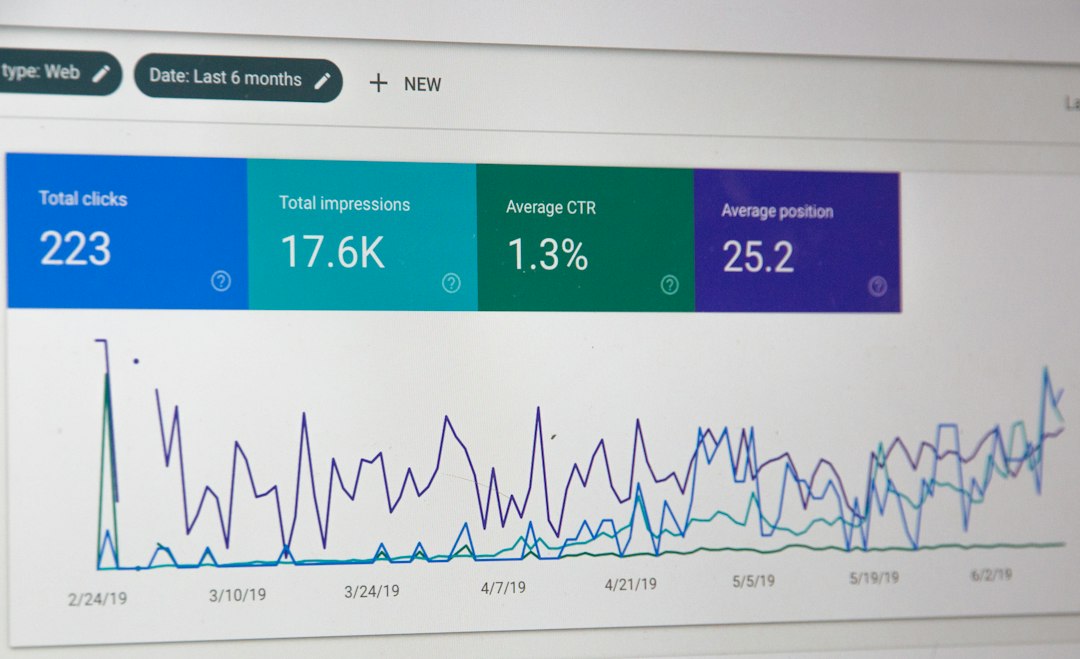
For a migration, SEO is where mistakes hurt. If a page ranked well on Squarespace, do not casually change its URL. Map old pages to new pages. Keep strong headings. Move metadata. Check crawl errors after launch.
A simple migration checklist should include:
- Export all current URLs before touching anything.
- Match each old URL to a new WordPress URL.
- Create 301 redirects for changed URLs.
- Submit the new sitemap in Google Search Console.
- Check traffic weekly for at least one month after launch.
Cost: Which Platform Is Cheaper?
Squarespace pricing is predictable. You pay one subscription and get hosting, templates, SSL, and support. That is comforting when you do not want to think about technical pieces.
WordPress costs vary. You may pay for hosting, a premium theme, plugins, security tools, backups, developer help, and maintenance. A simple WordPress site can be cheap. A serious business site can cost more than Squarespace.
Still, WordPress can be better value when the site earns money. If a plugin or custom landing page improves conversions by even 5%, the extra cost may be easy to justify.
Ease of Use: Squarespace Is Simpler
Squarespace wins on simplicity. The editor is clean. Styling is consistent. You can teach a non-technical user to update a page pretty quickly.
WordPress has improved a lot, but it still has more moving parts. The block editor is flexible, yet it can feel uneven when paired with several plugins. One plugin adds a panel. Another adds settings. Suddenly a basic page edit takes 40 seconds longer than it should.
If your team hates technical admin, Squarespace may feel calmer. If your team wants control and has someone responsible for the site, WordPress is the stronger long-term choice.
Ecommerce: Be Careful Before Moving
If your Squarespace site includes a store, plan the migration carefully. Product pages, variants, SKUs, images, customer data, order history, tax settings, and shipping rules may not move neatly into WordPress.
Most WordPress stores use WooCommerce. It is powerful, but setup takes work. You need payment gateways, shipping logic, email templates, product filters, and performance tuning.
For a store with only 10 products, the move may be manageable. For a store with 1,000 products and years of order history, treat it as a real project, not a weekend task.

When You Should Stay on Squarespace
Do not migrate just because WordPress is popular. Stay on Squarespace if your site is simple and working well.
- You have fewer than 10 core pages.
- You rarely publish new content.
- You do not need custom features.
- Your design needs are basic.
- You want one company handling hosting and support.
For a portfolio, restaurant, small service site, or basic event page, Squarespace can be perfectly fine. Less control can also mean fewer things to break.
When WordPress Is the Better Move
Choose WordPress if your website is tied to growth. That includes SEO, content marketing, email capture, paid campaigns, ecommerce, lead generation, or custom integrations.
WordPress is also better if you want to own more of your setup. You can switch hosts, use custom code, create advanced page templates, and build content systems that would be awkward in Squarespace.
The best candidates for migration are sites with a clear reason to move. “I want more control over SEO” is a good reason. “I heard WordPress is better” is too vague.
A Practical Migration Plan
Use a step-by-step process. It reduces panic and prevents ugly surprises.
- Audit the current Squarespace site. List pages, posts, images, forms, products, and key URLs.
- Set up WordPress on staging. Do not build directly on the live domain.
- Export from Squarespace. Import the XML file into WordPress.
- Rebuild design and features. Create templates, menus, forms, and key layouts.
- Fix content issues. Check images, spacing, buttons, links, and headings.
- Map redirects. Protect SEO and old bookmarks.
- Test before launch. Check mobile views, speed, forms, checkout, and analytics.
- Launch and monitor. Watch rankings, traffic, errors, and conversions.
Final Recommendation
Move from Squarespace to WordPress if your site needs growth, SEO depth, custom features, or stronger content tools. Stay with Squarespace if you value simplicity more than control.
The smartest migration is not rushed. Keep your best URLs. Rebuild the design with care. Test every important page. WordPress can give your site a longer life, but only if the move is planned like a business project, not a quick platform swap.